What’s New in PipeTakeoff: September 2026
By Matt Laux, founder of PipeTakeoff
Every month we write down what changed in PipeTakeoff and why it matters to the person doing the takeoff. September was mostly about review speed: less scrolling, fewer surprises after an upload, and clearer answers when a drawing changes.
| Change | Where |
|---|---|
| One drawing at a time, with a large page view | Drawing review |
| Clear notice when a drawing has no printed material list | Upload |
| Line-by-line compare against the committed revision | Revisions |
| Material price history | Catalog |
| Feedback button | Every screen |
Faster drawing review
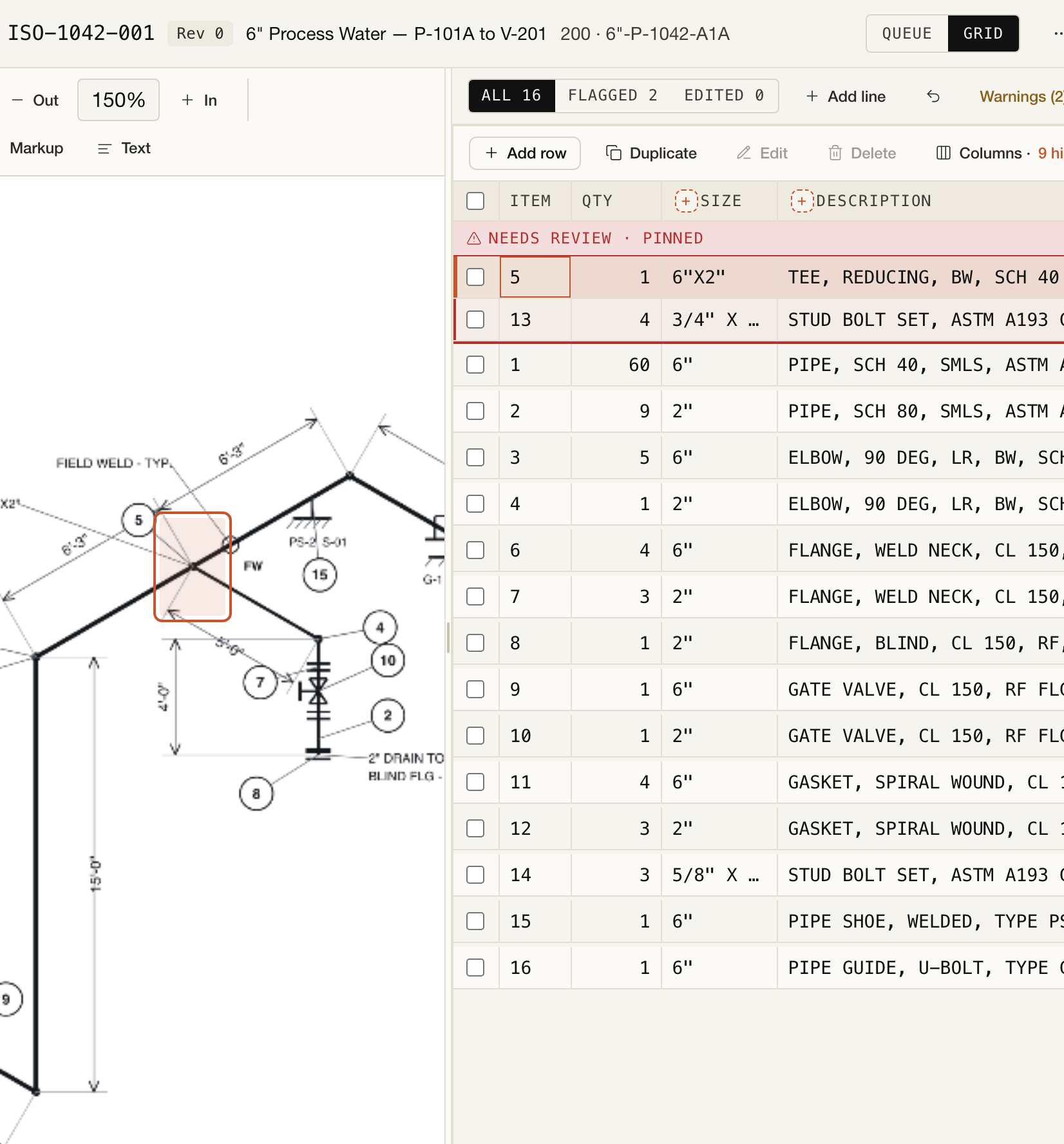
- One drawing at a time. Review now shows a single drawing with a large page view and a zoomed title block, so you can confirm the drawing number and revision without hunting for them.
- Descriptions that keep up with your edits. When you change a line's class, size, material, or schedule, PipeTakeoff offers to update the description to match. You decide whether to accept it.
- An icon for every category. Pipe, fittings, flanges, valves, bolts, and gaskets are easier to tell apart at a glance.
Clearer uploads
- Know what will be read before you upload. The upload screen now explains which drawings PipeTakeoff reads, so a package of plans or details does not come back as a surprise.
- One notice per upload. If drawings in a package have no printed material list, you get a single notice for the upload instead of a warning on every sheet.
- Stalled packages are called out. If a package stops making progress, the app tells you instead of leaving it looking busy.
- Straight in after sign-up. Verifying your email now takes you directly into the app.
Revisions, catalog, and quotes
- Compare a new revision line by line. When a revised drawing arrives, you can compare it against the revision you already committed and see which lines were added, removed, or changed.
- Material price history. The catalog keeps the prices you have recorded for an item over time, so you can see how a number moved before you reuse it.
- Link your item codes. Catalog items can be linked to your own item codes.
- Quote review starts with the totals. Opening a quote now shows its totals and any decisions still open, before the line detail.
A cleaner app, and a direct line to us
Every screen now shares one consistent layout. There is also a feedback button throughout the app: if something is slow, confusing, or wrong, tell us from the screen where it happened. Those notes come straight to the people building the product.
On the website
The site now uses real app screenshots and a short demo video, and it links to how we measure extraction quality and how we handle your drawings.
Want to see it on your own drawings? Try a project. Your first project is free, and the estimator stays in charge of the final MTO.