Scanned Piping Isometrics: A Practical Takeoff Review Guide
By Matt Laux, founder of PipeTakeoff
The hardest sheet in a bid package is often a photocopy of a marked-up iso buried inside a digital PDF. It has a BOM table, but one blurred digit can change a pipe length, and a handwritten correction may cross the row boundary. This guide shows how to decide whether that sheet is usable, where to spend review time, and what to do when the source will not support a confident quantity.
This is a companion to the piping isometric takeoff workflow. It concerns BOM-table transcription from scanned pages. It does not assume that AI can measure unlisted pipe from a drawing image.
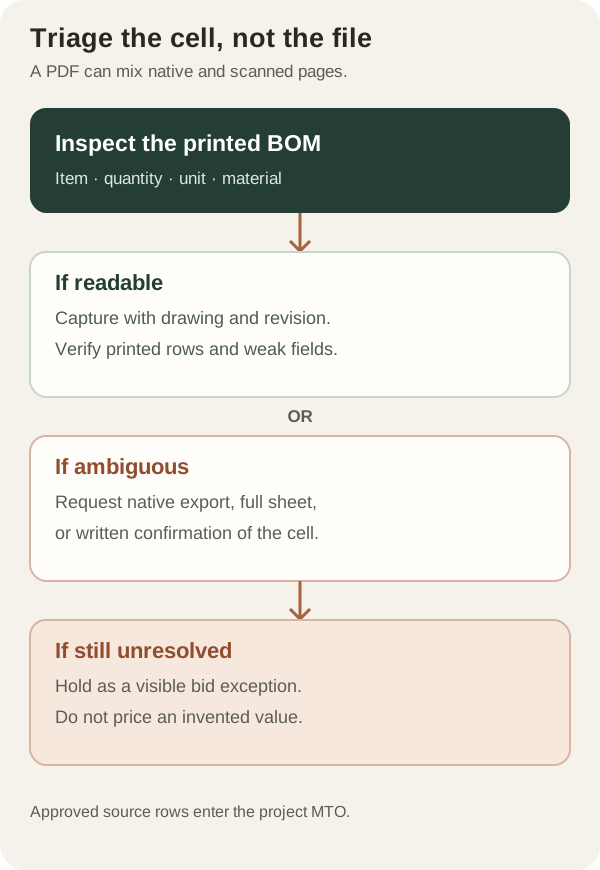
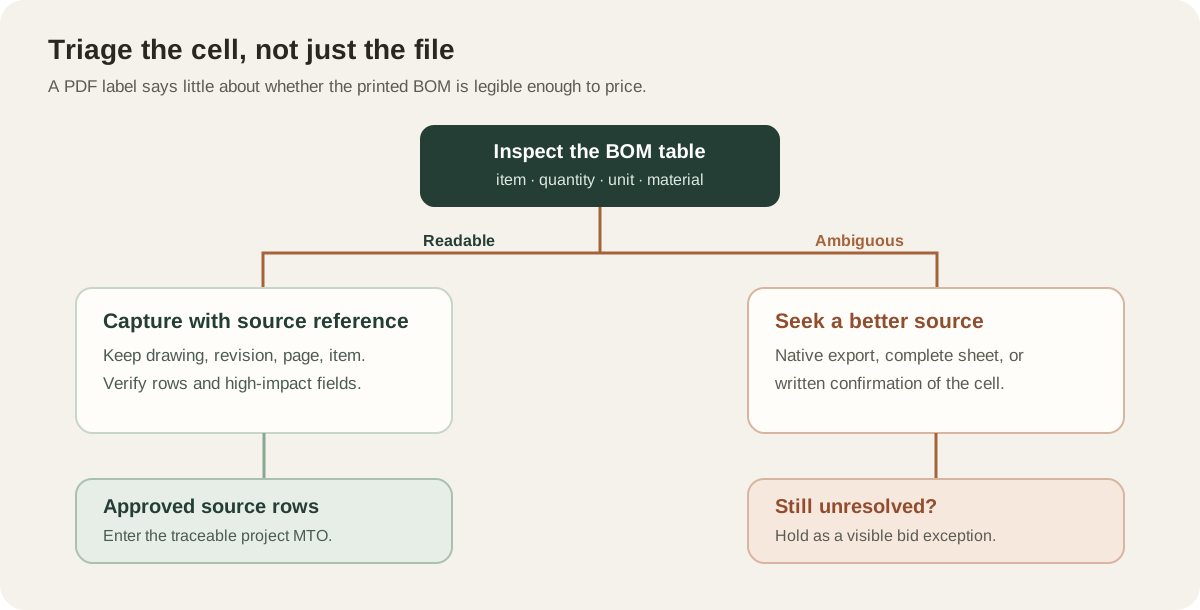
Why two PDFs can need different review
A PDF can contain selectable text, an image of a page, or both. A native CAD export often retains text and crisp vector lines. A scan is pixels; an OCR layer may make those pixels selectable without making the original characters any clearer. Test one BOM cell by zooming in and selecting text, then compare the selected value with what you can actually see.
| What you see | Why it matters | Next action |
|---|---|---|
| Crisp text with selectable characters | Usually easier to locate and verify cells | Sample several rows and continue |
| Image-only page with readable cells | Every character must be read from pixels | Mark as scanned; plan closer review |
| Merged digits, clipped table, or heavy markup | Quantity or material identity may be unknowable | Request source or record an exception |
Do not classify a whole mixed package from the first page. A single PDF may combine native exports, scans, covers, and replacement sheets. Keep the source type and revision on each drawing in the register.
Five scan defects that change an estimate
- Lost strokes. A low-resolution scan or repeated photocopy can make 3/8 look like 5/8 or make SCH 80 look like SCH 30. Zooming cannot restore detail that was never captured.
- Skewed rows. When table lines tilt or bow, a quantity may appear to belong to the description above or below it. Trace the full row across the table, including item number.
- Clipped margins. The scan can omit a unit column, continuation note, or the last BOM row. Compare page edges with the drawing border and title block.
- Overprinted history. Stamps, revision clouds, and handwritten corrections can cross printed values. Record which value is current and who established it.
- False OCR confidence. Selectable text may be an OCR guess. Verify the high-impact fields against the visible scan rather than trusting a copied value.
The practical consequence is uneven review. A clear fitting description may be easy to accept while the quantity in the next column remains unresolved. Treat those as separate decisions.
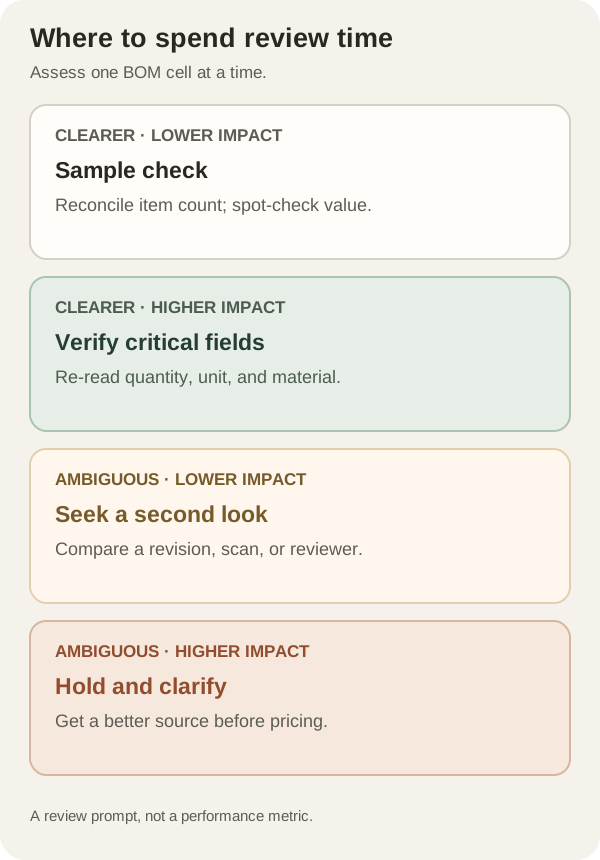
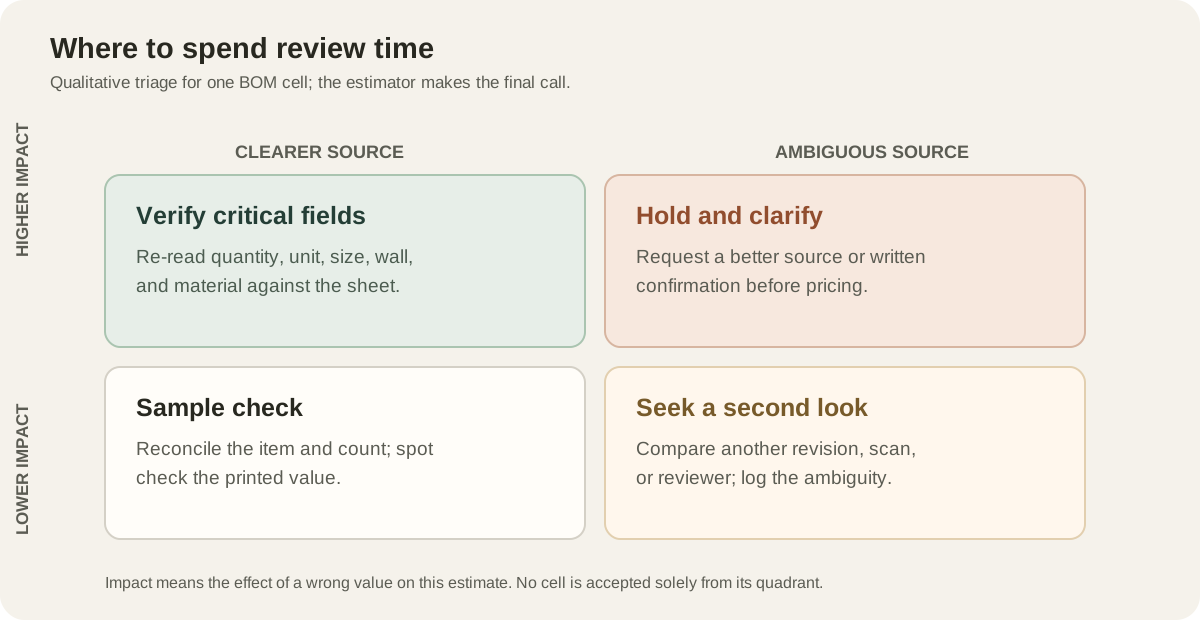
Use a three-pass review on a mixed package
- Pass 1: inspect the source. Flag scanned pages, missing pages, unreadable BOM cells, and hand corrections. Ask for the original CAD export or a higher-resolution scan early, while the bid team still has time to respond.
- Pass 2: compare proposed rows with the sheet. Check every printed item number is represented once. Review quantities and units together, then size, wall, material, and end connections. Spend extra time on cells that are visually weak or commercially significant.
- Pass 3: reconcile the exceptions. Do not turn an unreadable value into a confident purchasing line. Record the drawing, revision, item, disputed field, candidate readings, and the request or assumption used to resolve it.
| Source cell | Issue | Action | Pricing state |
|---|---|---|---|
| ISO-1042-002/A, item 8, qty | 18 or 78 ft | Request native PDF; compare revision | Hold |
| ISO-1042-002/A, item 3, material | WPB legible; size clear | Verify against piping class | Review |
| ISO-1042-002/A, item 11 | Row clipped at page edge | Request complete sheet | Hold |
A useful escalation note is short and specific: “On ISO-1042-002 Rev A, BOM item 8, is the quantity 18 ft or 78 ft? Please provide a native PDF or confirm the intended quantity.” That gets a faster answer than “the drawing is hard to read.”
How the app helps, and where the estimator decides
PipeTakeoff identifies pages that are likely scanned and surfaces that warning during package review. It extracts proposed BOM rows for a side-by-side review screen, highlights rows that need attention, and checks whether the reported BOM row count agrees with the extracted rows. A matching count cannot prove every digit is right, so the estimator still compares uncertain cells with the drawing and resolves conflicts before committing the MTO.
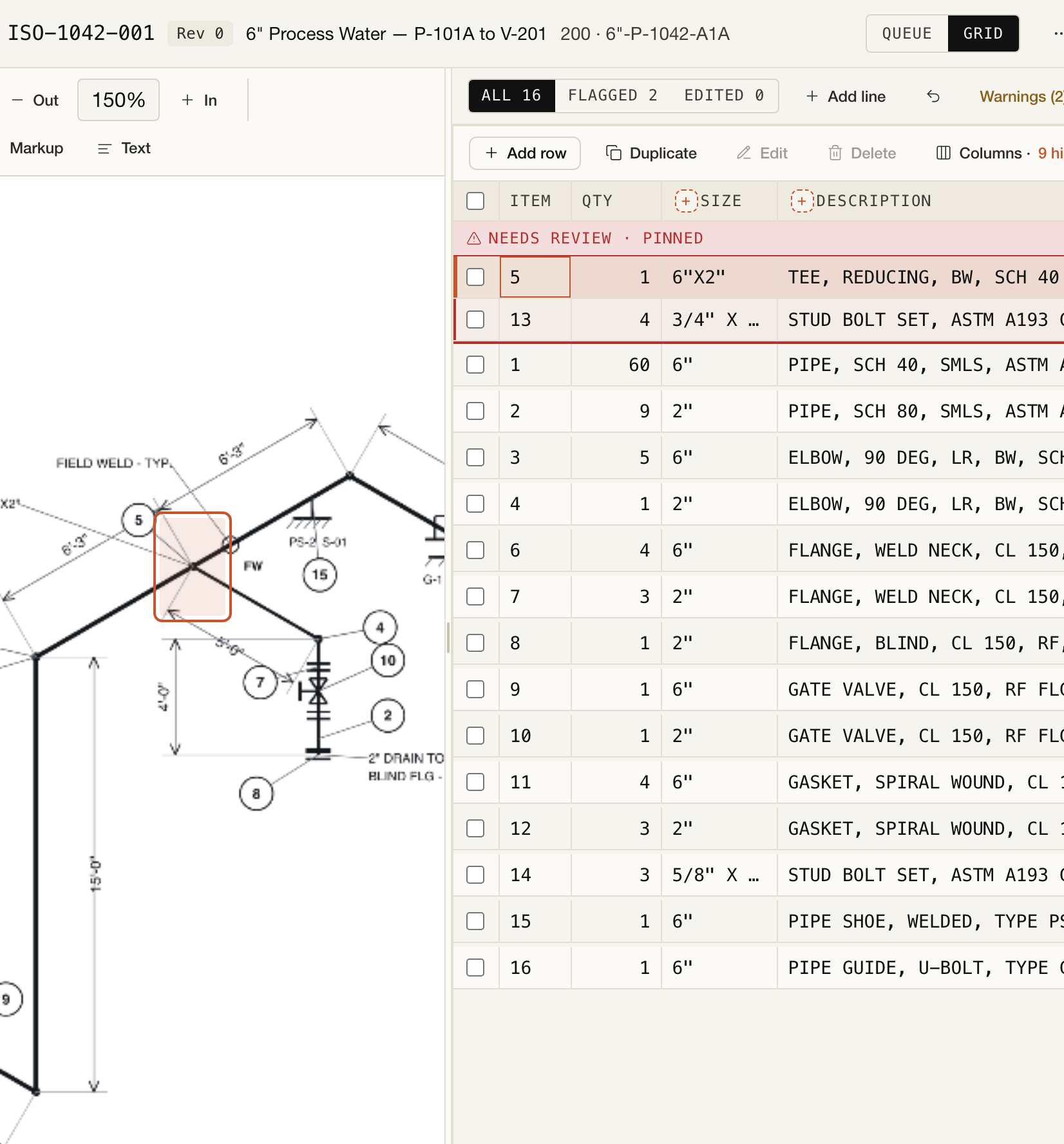
When testing any extraction tool, give it a mixed package that resembles your work. Separate native and scanned results, inspect missing rows as well as wrong values, and note whether the tool can preserve drawing-level traceability and surface uncertainty. Our extraction-quality methodology explains the measures we use without presenting a single headline percentage as a promise for your drawings.
- Each drawing is labeled native, scanned, or uncertain
- Unreadable cells are logged before an estimate is priced
- A better source is requested where one could resolve the ambiguity
- Printed item numbers are reconciled with captured rows
- Quantities, units, and material designations are checked against the image
- Hand corrections and revision choices are documented
- Unresolved values remain visible as exceptions in bid review
Have a difficult package? Try a project in PipeTakeoff and judge its proposed rows against your own drawings. The estimator stays responsible for the final MTO.